
Knowledge Base
Step 1:
Total up the cash in the drawer or cash bag. Total up the amounts of checks in the drawer or cash bag. Write down these totals for later.
Step 2:
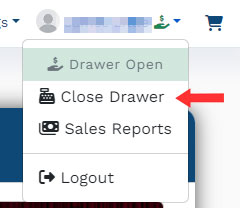
From the user menu, select "Close Drawer."
Step 3:
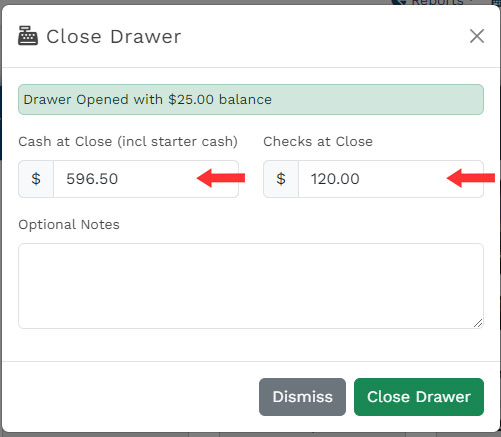
In the "Close Drawer" dialog box, enter the totals from Step 1. If there were any issues or notes that you need to make regarding this day's transactions, you can enter an optional note. Click "Close Drawer."
Step 4:
Your drawer is now closed. Typically, you will print out your reconciliation report for this drawer and turn it in to the accounting manager with the drawer/cash bag.
If you have questions about this workflow, please consult your accounting manager.