
Knowledge Base
There are several ways to take payment for an invoice.
Method 1:
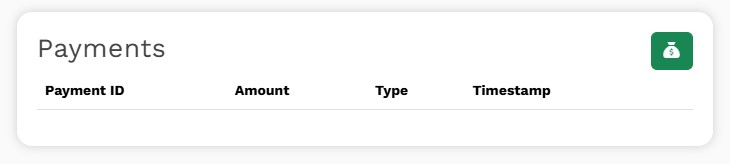
The fastest way to record a payment is to navigate to the invoice and then scroll to the bottom of the screen for the "Payments" section.
Then click on the green "money bag" button.
Method 2:
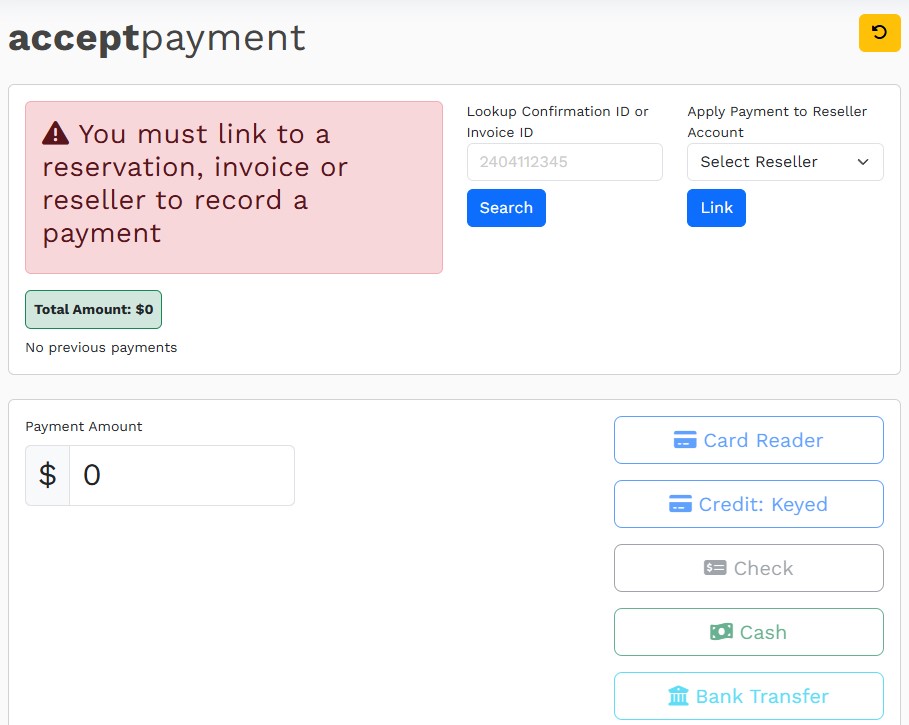
Alternatively, from anywhere in the system, you can pick "Record Payment" under the Accounting Menu. This takes you to the payment page:
From here, you can accept a payment for:
To accept an invoice payment, type the invoice number into the Lookup field and hit "Search." Once the invoice is located, the Payment Amount field will be updated with the unpaid balance of the invoice.
Note: If you are accepting partial payment for this invoice, change the "Payment Amount" number before clicking on the payment method.
With either method above:
Click the appropriate payment method button. Your options are: