
Knowledge Base
Step 1:
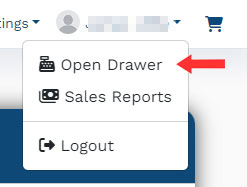
Click on the User menu in the upper right and select "Open Drawer"
Step 2:
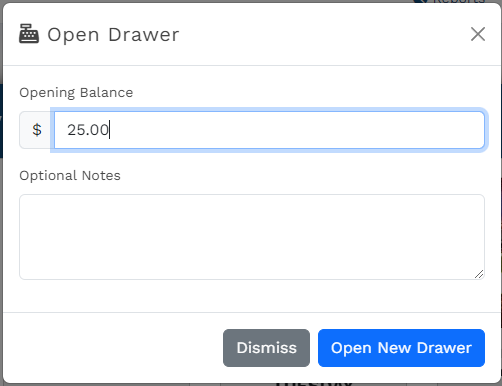
The "Open Drawer" dialog box will appear and prompt you to enter the drawer's starting cash balance. Enter this value and click "Open New Drawer."
Step 3:
Begin taking customer payments. Any payments taken by you between drawer opening and closing times will be associated with this drawer's balance.
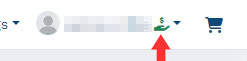
An icon is added next to your name in the user menu to indicate that you have an open drawer:
Step 4:
When you are done taking reservations for the day, close out your drawer.